







SEO
Canonical URL: What It Means, When You Need One and How to Check What Google Picks

A canonical URL is the web address you tell search engines is the main version of a page, for when the same content can be reached on more than one address. 'Canonical' simply means 'the official one'. You set it with a small line of code or a setting in your SEO plugin. Without it, Google decides for itself which version to show.
What does canonical mean?
In everyday English, canonical means 'accepted as the standard' or 'the official version'. The word comes from canon, which is Greek for a rule or a measuring stick. You hear it when people talk about the canon of an author: the books that count as the real ones.
Software uses the word in much the same way. A canonical form is the one standard way of writing something, so that two things that look different can be recognised as the same thing. SEO borrows the word in exactly that sense.
What is a canonical URL?
A URL is the web address in the bar at the top of your browser. A canonical URL is the address you name as the preferred version of a page.
This matters because one page can often be reached in several ways. Search engines read your site, notice that several addresses show the same content, and group them. Then they pick one version to show in the results. That pick is the canonical. If you say nothing, Google chooses for you, and it may not choose the address you would have picked.
You give your preference with a rel=canonical tag. That is one line in the hidden top part of the page (the head), containing the full address of the version you want. The preferred page can point to itself. That is normal and good practice.
One thing to know: a canonical tag is a hint, not an order. If your other signals say something different, Google can overrule you. More on that below.
When do you need a canonical URL?
You need one when the same or almost the same content lives on more than one address. These are the usual cases for a small business:
- www and non-www, or http and https. If your site opens on both versions, that is a duplicate of every page.
- Tracking codes. A link in your newsletter that ends in ?utm_source=newsletter shows the same page on a new address.
- Filters and sorting in a webshop. A candle shop with ?colour=red&sort=price creates dozens of addresses that all show nearly the same products.
- One product in several categories. The same product page can then exist under more than one path.
- Content published elsewhere. If another site republishes your article, it can point its canonical to your original, if they agree to it.
Do you need a canonical tag on every page?
Not strictly. If a page has only one address, Google has nothing to choose between. Still, a tag that points the page to itself is a good habit, and most SEO plugins add it for you.
Also ask yourself whether the extra address needs to exist at all. If an old address can disappear, use a 301 redirect instead. That is a permanent forward that sends visitors and Google to the new address. A canonical is for addresses that must keep working, like a filtered product list.
And never point a canonical at a page with different content. A canonical says 'these two are the same'. If they are not, Google will probably ignore it.
How do you set up a canonical URL in WordPress?
WordPress already adds a canonical tag to your posts and pages by itself, pointing each one to its own address. For most pages you do not have to do anything. When you want to change it, an SEO plugin such as Yoast SEO, Rank Math or All in One SEO gives you a field for it.
The steps are about the same in each plugin:
- Open the page or product in the editor.
- Scroll down to the plugin's box and open the Advanced section.
- Find the field called Canonical URL.
- Paste the full address of the preferred version, including https://.
- Click Update and check the result (see the last section).
Which settings should you check first?
Before you set canonicals page by page, fix the big duplicate: the whole site on two addresses. Go to Settings, then General, and check that the WordPress Address and Site Address both use https and the same choice of www or non-www. Then make sure the other version redirects to it.
On a WooCommerce shop, let the plugin handle product and category pages, then test a few filtered addresses to see where their canonical points. Also keep your sitemap clean: it should list only the preferred addresses. The post on the sitemap checker shows how to test that in five minutes.
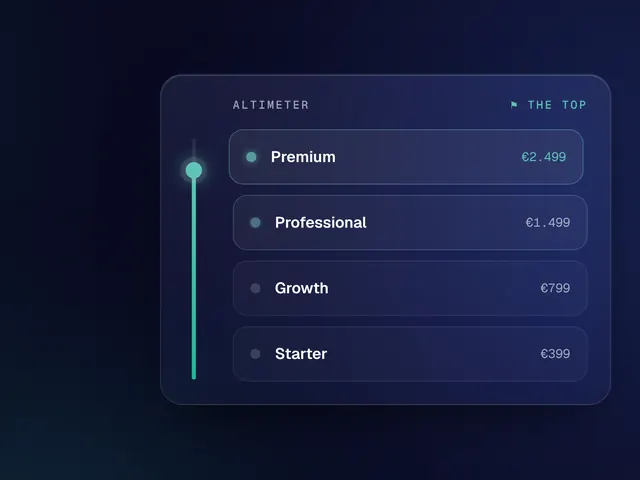
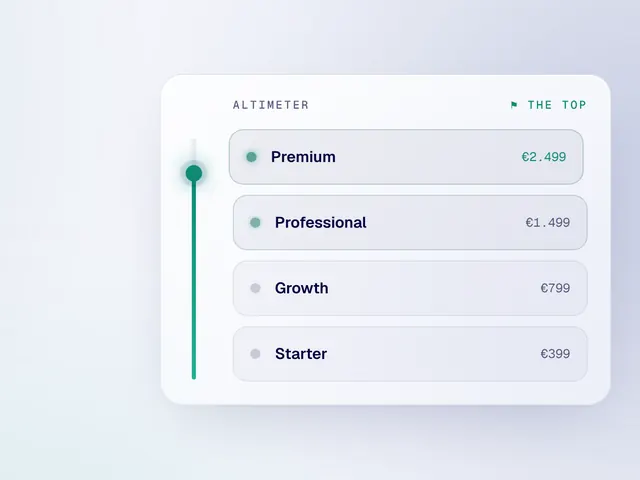
If you want help with the structure behind this, it falls under SEO services, which start at €399 per month and can be cancelled monthly.
What mistakes are easy to make with canonicals?
Most canonical problems come from a plugin setting or a copy-and-paste slip. These are the ones to look for:
- Every page pointing to the homepage. This tells Google that your whole site is one page.
- Pointing to an address that redirects or gives an error. The canonical must be a working page that opens normally.
- Two different canonical tags on one page. A theme and a plugin can both add one. Google may then ignore both.
- Mixing signals. A canonical to page A, while your sitemap and internal links all use page B.
- Combining it with noindex. Noindex tells Google to keep a page out of search. Pointing a canonical from that page elsewhere sends mixed messages.
- Page 2 of a list pointing to page 1. Page 2 shows different items, so it is not a duplicate.
How do you check which page Google picks?
There are three ways to check, from simplest to most useful. The first shows what you declared. The other two show what Google actually decided.
1. View the page source. Open the page, right-click and choose View page source. Press Ctrl+F (Cmd+F on a Mac) and search for 'canonical'. You will see the address you have declared. If you see two lines, you have found a problem.
2. Use Google Search Console. It is Google's free tool for site owners. Paste an address into the URL Inspection bar at the top and open the indexing details. You will see 'User-declared canonical' (your choice) and 'Google-selected canonical' (Google's choice). If they differ, Google disagrees with you.
3. Read the Page indexing report. Statuses like 'Duplicate without user-selected canonical' or 'Duplicate, Google chose different canonical than user' list the pages where Google made its own call. Start with the ones that matter for sales, such as services and products.
When the cause is not obvious, tidy up the signals that point at the wrong version: redirects, internal links, sitemap and the tag itself. Google then needs some time to re-read the pages. If you would rather have someone look at it, an SEO audit costs €199, and you talk to me directly, because I do the work myself. To see where your site stands first, request the free quickscan. It is free, even if you do not buy anything.
Frequently asked questions
Are canonical tags necessary?
Not on every page, but they help whenever the same content can be reached on more than one address, such as with tracking codes or webshop filters. Without one, Google picks a version itself. A tag that points each page to itself is a safe default, and most SEO plugins add it automatically.
What does canonical mean in software?
In software, canonical means the standard or agreed form of something, such as one fixed way to write a file path or a piece of data, so that different-looking versions are treated as the same. SEO uses the word in that sense: one official address for content that appears in several places.
How can I check if a URL is canonical?
View the page source and search for 'canonical' to see the declared address. For what Google actually chose, paste the address into the URL Inspection tool in Google Search Console and compare 'User-declared canonical' with 'Google-selected canonical'. If both show the same address, that URL is the canonical.
How do you fix a canonical issue?
First find which address Google picked and why. Then make your signals agree: one canonical per page, pointing to a working page, matching your internal links and sitemap. Redirect addresses that do not need to exist. Afterwards, request indexing in Search Console and give Google some time to re-read the page.
Dimitry founder of Growetic. He does SEO, Google Ads and websites for businesses in the Netherlands, on Bonaire and in Spain.