

Free quickscan.See where you stand online and where your opportunities are, even if you don't buy anything.

SEA: get more out of advertising in Google

SEA (search engine advertising) means paying to appear at the top of Google for the keywords that matter to your business. You only pay when someone clicks. On this page you will read how SEA works, how to set a strategy, which types of campaign exist and how to stop your budget from leaking away.

5.011 reviews

What is SEA?

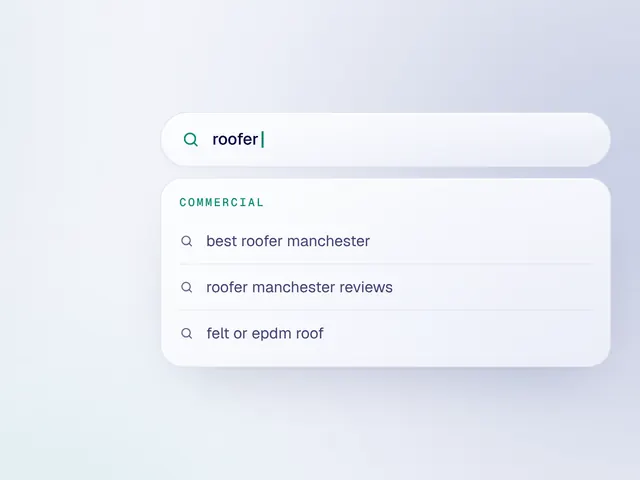
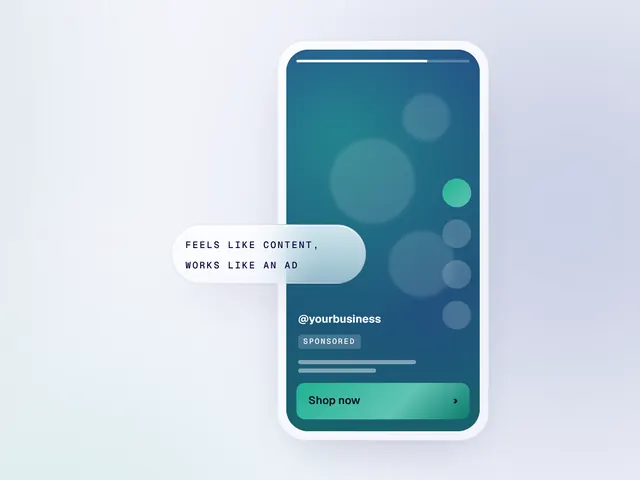
SEA is placing paid ads in search engines. In practice it almost always means Google Ads, sometimes supplemented with Microsoft Advertising for Bing. Your ad appears above or below the regular search results and is marked with the label "Sponsored". When people talk about SEA marketing, they usually mean the same thing: the whole approach around those ads, from keywords to reporting.

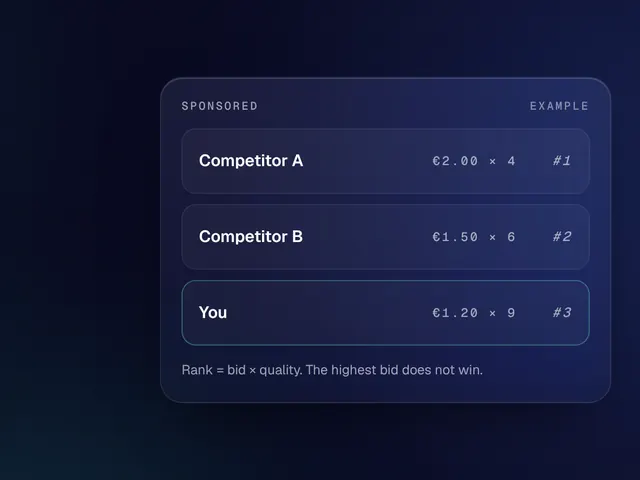
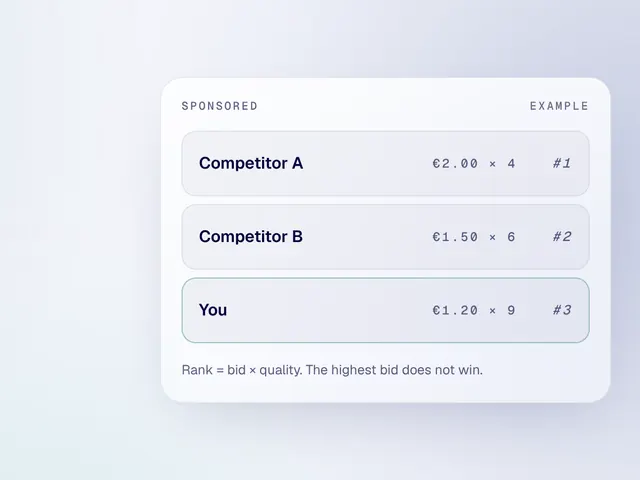
For every search, Google decides which ads to show in a kind of auction. What counts is not only how much you are willing to pay per click, but also the Quality Score: a rating from 1 to 10 that shows how well your keyword, ad and landing page match the search. A better Quality Score often means a higher position for a lower price per click.

Where SEO works on long-term visibility, SEA gives you visibility straight away. The main advantages:

  • Visible fast: as soon as Google has approved your ads, you are at the top, often the same day.
  • Full control: you decide the budget, audience, region and timing.
  • Easy to measure: you see what every click, impression and enquiry delivers.
  • Scalable: start small and only increase the budget once it works.
  • Targeted: target by keyword, location, device or even time of day.
The auction in slow motion
  1. SearchSomeone types a search. The auction starts.
  2. BidWhat does each advertiser want to pay per click?
  3. Quality ScoreA score from 1 to 10: how well do ad and page match the question?
  4. Ad RankBid and quality together set the order.
  5. Your adAt the top, without the highest bid.

SEA and SEO: what is the difference?

SEA (Google Ads)SEO
What you payPer click, for as long as you advertiseTime and work on your website
How fast you see resultsImmediately after going liveUsually after a few months
When you stopTraffic stops immediatelyRankings largely stay in place
Strong forQuick enquiries, promotions, testing new servicesLasting traffic without click costs
Place in GoogleSponsored resultsRegular (organic) results

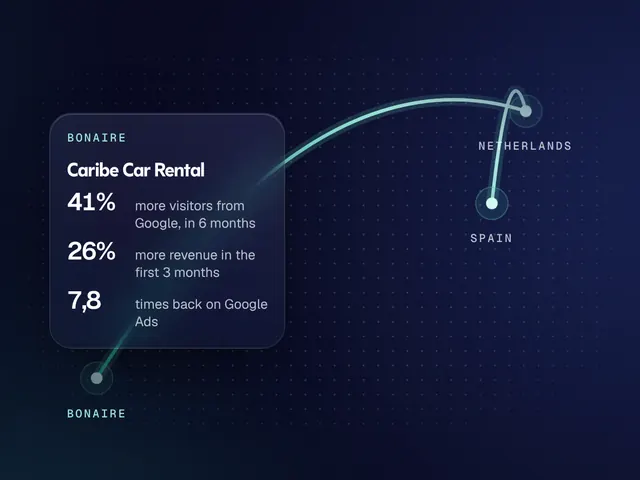
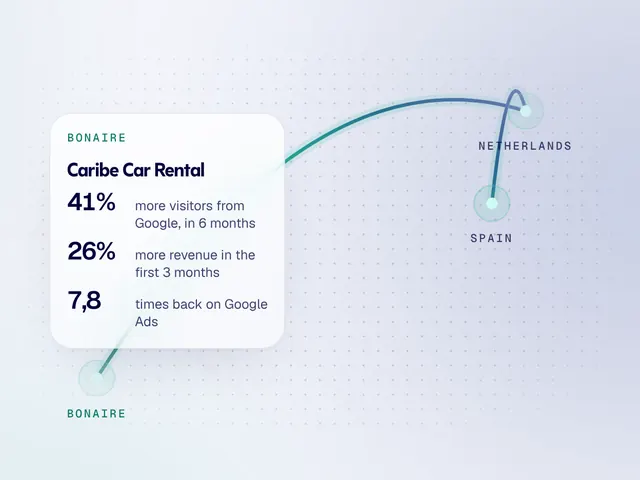
Caribe Car Rental, Bonaire · website, SEO and Google Ads

  • 41%more visitors from Google, in 6 months
  • 26%more revenue in the first 3 months
  • 7,8times back on Google Ads: every euro returned €7.80

An SEA strategy: where do you start?

A good SEA strategy does not start in Google Ads, but with your goal. Do you want more quote requests, more sales in your online shop or mainly more brand awareness? That goal determines which campaigns you run, how you bid and what you measure.

Next you look at your customer: who are they, where do they live and what exactly do they search for? You translate that into keywords and exclusions. How to approach that is explained on the page about keyword research for Google Ads.

Finally, you divide your budget. Start with the keywords where people are closest to a purchase, and only expand once those are profitable. That way you build a strategy that fits your budget instead of the other way round. What managing your campaigns costs is on the pricing page.

  • Set goals: leads, sales or visibility.
  • Map out your audience and search intent.
  • Divide the budget and choose a bidding strategy.
  • Choose campaign types that fit your goal.
  • Set up conversion tracking, so you know what a customer costs.

Types of SEA campaigns

Google Ads has several campaign types. Which one you choose depends on what you sell and what stage your customer is in. For most small and medium-sized businesses, a search campaign is the starting point.

  1. 01

    Search ads

    Text ads that appear when someone searches for your keywords. You reach people at exactly the moment they are looking for what you offer. Best suited to leads and enquiries, for service providers, B2B and local businesses.

  2. 02

    Display ads

    Image ads on websites and apps within the Google Display Network. They build brand awareness and work well for products or services that customers think about for longer.

  3. 03

    Shopping ads

    Product ads with a photo, price and shop name, at the top of Google. Essential for online shops: a buyer sees your product before they even reach your site. They run on a product feed from your online shop.

  4. 04

    Remarketing

    Ads for people who have visited your website before but have not bought or enquired yet. You remind them of your offer through display, YouTube or search ads. Often cheap and effective, because they already know you.

  5. 05

    Video ads (YouTube)

    Short videos before, during or next to YouTube videos. Strong for telling your story and reaching new audiences visually, especially in the research phase.

Setting up an SEA campaign in four steps

What is an SEA campaign? A set of ads with one goal, one budget and its own settings for region, language and audience. This is how we set one up:

  1. 01

    Strategy and goals

    We decide what the campaign needs to deliver, for whom and with what budget. We choose the campaign types and bidding strategy that fit.

  2. 02

    Setup

    We choose keywords and negative keywords, divide them over ad groups and write ad copy that matches the search. We set up targeting by location, device and audience, and get conversion tracking right.

  3. 03

    Optimisation

    Going live is only the beginning. We test ads and landing pages against each other, adjust bids, expand what works and pause what costs money without delivering. A higher Quality Score lowers your price per click.

  4. 04

    Reporting and next steps

    You get a clear overview of clicks, enquiries and what they cost. Then we discuss the next step: scaling up, adjusting or testing something new.

SEA check: where is your budget leaking?

Anyone can switch on a Google Ads campaign.

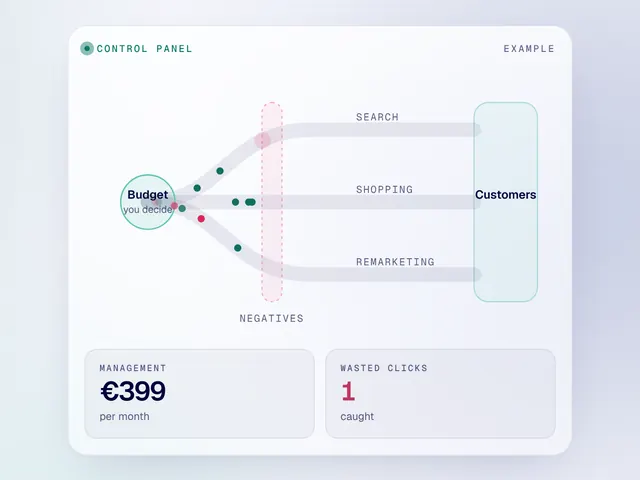
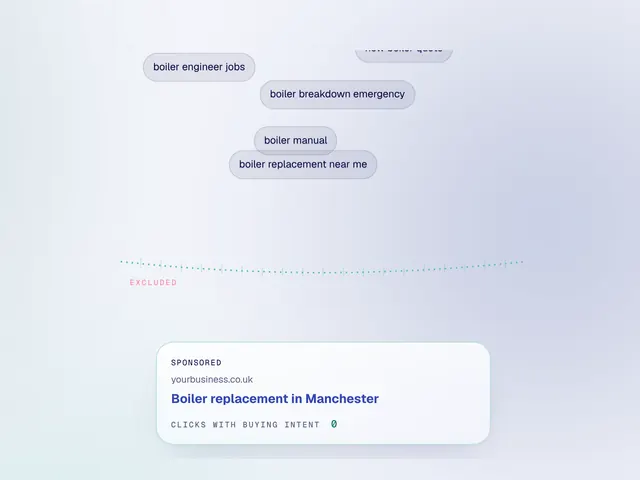
Advertising profitably is something else. Without a proper setup, budget quickly goes to clicks from people who will never become customers, or to ads that score poorly and are therefore expensive.

An SEA analysis of your account quickly shows where things go wrong. These are the points we look at first in an SEA check:

  • The structure of campaigns and ad groups.
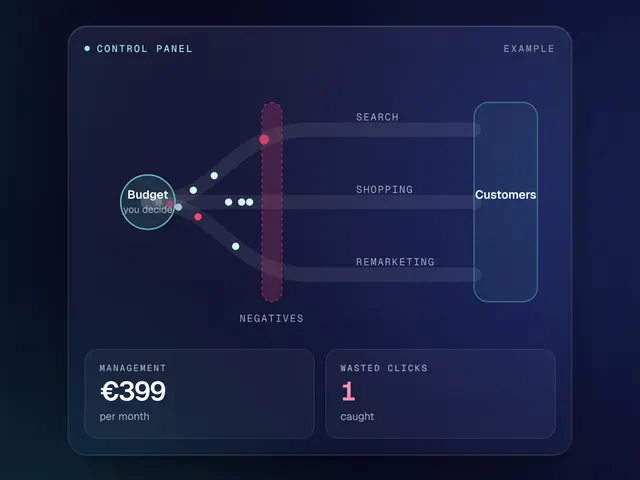
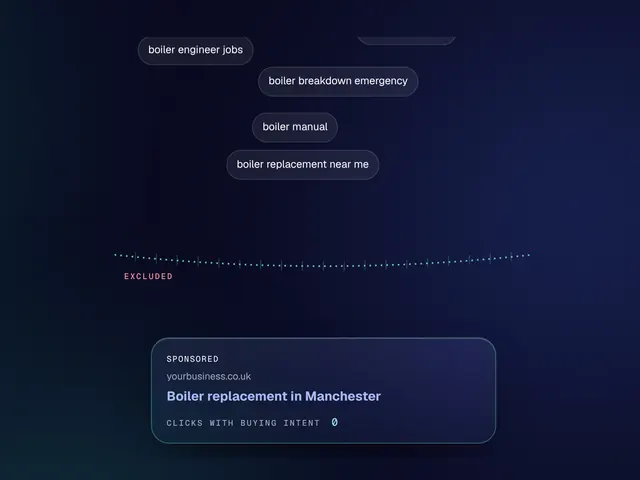
  • Which search terms your ads actually appear for, and which ones cost budget without delivering anything.
  • The use of negative keywords.
  • Ad copy, and whether the landing page matches the search.
  • Whether conversions are tracked properly.
  • Quick improvements to lower your price per click.

What Google Ads delivered for Caribe Car Rental

A white Caribe Car Rental car in a courtyard on BonaireSEO · 6 months
Caribe Car Rental
41%

more visitors from Google, in 6 months

“Their team started with a thorough analysis of our website and quickly came up with a clear strategy.”

Patrick Diepgrond · Caribe Car Rental, Bonaire

The owner of Bloemenhuis Orchidee with a large bouquetSEO · 3 months
Bloemenhuis Orchidee
118%

more visitors from Google, in 3 months

SEONetherlands

Frequently asked questions about SEA

What is an SEA campaign?

An SEA campaign is a group of paid ads in Google with one goal, one budget and its own settings for region, language and audience. Within a campaign you organise keywords and ads into ad groups. A plumber, for example, could have one campaign for emergency repairs and another for bathroom renovations, each with its own budget.

Is SEA the same as Google Ads?

Almost. SEA is the umbrella term for advertising in search engines, and Google Ads is the platform you use to do that in Google. Because Google is by far the largest search engine in most countries, most people simply mean Google Ads when they say SEA. Microsoft Advertising, for Bing, is also part of it, but is usually an addition.

How quickly will I see results from SEA?

You can be visible within a few hours of going live, as soon as Google has approved your ads. So visitors arrive straight away. Whether those visitors also become customers usually becomes clear within a few weeks. After that it is about fine-tuning: with every month of data, your campaigns get sharper and your cost per customer drops.

How much budget do I need for SEA?

That depends on your market and competition. Some businesses start with around €500 per month in ad budget, others spend thousands of euros. You pay that budget directly to Google. In the free quickscan you get advice that fits your goals and what clicks cost in your industry.

How much does a click in Google Ads cost?

A click costs anything from a few tens of cents to several euros, and in expensive industries such as legal services or insurance sometimes much more. The price depends on how many competitors bid on the same keyword and on your Quality Score. A well-built campaign with relevant ads and landing pages often pays less per click.

What is the difference between SEA and SEO?

SEA gives you visibility straight away, but you pay per click for as long as you advertise. SEO builds organic visibility that lasts, but needs more time. The strongest approach combines them: SEA for results now and to test which keywords bring in customers, SEO for lasting growth without click costs.

Can I manage SEA campaigns myself?

Yes, you can. Google Ads is open to everyone. But good management takes knowledge and above all time: reviewing search terms, adjusting bids, testing ads. Without that, budget quickly goes to clicks that deliver nothing. If you want to hand it over, Growetic takes care of the management for a fixed monthly price.

Clients on Growetic.

5.011 reviews
Mike van Kleef5 out of 5 stars

I am extremely satisfied with the collaboration with Dimitry from Growetic. He helps me with the advertising campaigns for my Shopify webshop, and since our partnership, I have seen a clear increase in the number of conversions.

What I particularly appreciate about Dimitry is his proactive attitude. He keeps me well informed about the results, actively contributes ideas, and constantly provides advice on monitoring and optimizing the campaigns.

You can tell that he is not only focused on managing ads but is also genuinely involved in the growth of your business. The communication is pleasant, personal, and transparent.

Definitely recommended for entrepreneurs who want to take their webshop to the next level!

Google review · Nov 2026 · translated by Google
Roelianne van Kleef5 out of 5 stars

I came into contact with Dimitry from Growetic through my husband. He helps me with the local Google Ads campaigns for my hair salon in Spain.

As a hairdresser, my passion naturally lies with my profession, and I know very little about online advertising myself. That is why I am so pleased that Dimitry thinks along with me in this regard and advises me on how to further grow my salon and reach new clients.

The personal contact and his involvement make the collaboration very pleasant. I can focus entirely on my clients and my salon, while Dimitry takes care of the online marketing.

I am therefore very happy that my husband put me in touch with him!

Google review · Nov 2026 · translated by Google
LIAM SLINEY5 out of 5 stars

Dimitri is very helpful and really knows his work. Very talented guy

Google review · Nov 2026

Get your Google Ads checked for free

Request the free quickscan. Dimitry looks at your account or your plans and tells you honestly where the opportunities are and where budget is leaking. No obligation: you are not tied to anything. If you want it done for you afterwards, you can choose Google Ads management at a fixed monthly price.

Free quickscan

Start with your web address.

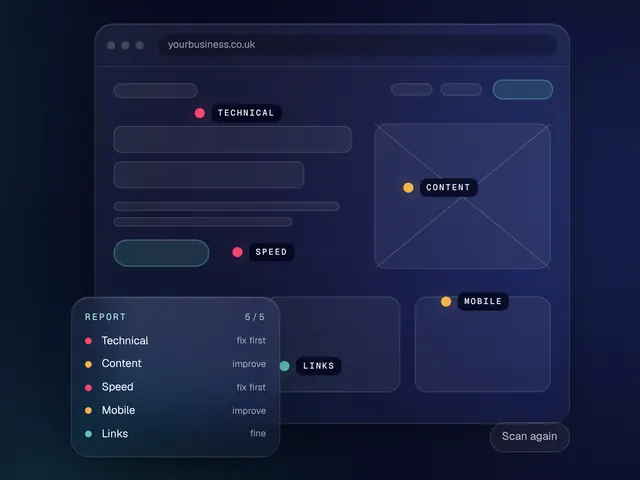
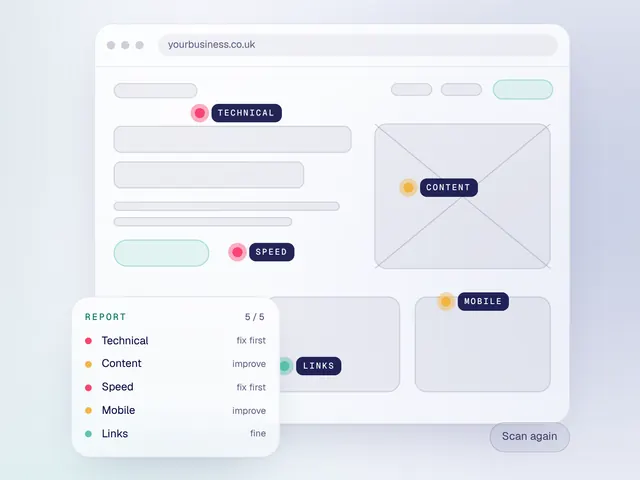
You get a free quickscan: how findable you are, how your site performs and where your opportunities are. Then a short call about what fits.

5.0· 11 reviews

“Good experiences! Helped us get off to a good start, and still does!!! Reliable, definitely a knowledgeable guy !!!!! Highly recommended!!!!!”Monique Schrijvers · translated by Google

Fill in your web address, for example www.yourcompany.com.
Fill in a valid email address.
You get the quickscan by email, even if you don't buy anything. Then a short call with Dimitry.